This post is part of the Korean Apartment Homelab series.
Introduction
In my previous posts, I covered how a bathroom wiring problem during a renovation led me to build a homelab, and walked through all the services running on my Proxmox server. But I have not yet written about the one service that started it all: Home Assistant.
This post is the story of how I went from controlling a single motorized curtain with SmartThings to managing over twenty devices through Home Assistant, and what I learned along the way.
SmartThings and the App Multiplication Problem
My first IoT device was a motorized curtain. I set it up through Samsung SmartThings, and the experience was simple enough. One app, one device, no problems.
Then I bought an Aqara smart door lock, and that was the moment things started to break down.
The Aqara lock could not integrate directly with SmartThings. To control it, I had to install the Aqara app separately. Around the same time, I also had LG appliances with their own app. Suddenly, I was managing three different apps just to control a handful of devices in a single apartment.
But the real tipping point came when I started browsing AliExpress. There is a surprisingly large selection of affordable IoT devices available there, from Zigbee sensors to smart switches, but most of them do not work natively with SmartThings. If I wanted to actually use those devices, I needed a platform that could handle a wider range of hardware without relying on official manufacturer support.
That is when I started researching alternatives, and every path eventually pointed to the same destination: Home Assistant.
Getting Started with Home Assistant
Once I decided to try Home Assistant, the next question was how to run it. I ordered an Intel N100 mini PC from AliExpress and installed Proxmox on it, then set up Home Assistant as a virtual machine. Looking back, starting with Proxmox from day one turned out to be a good decision, even though it was slightly more complex than installing Home Assistant OS directly. It meant I could add other services later without rebuilding anything.
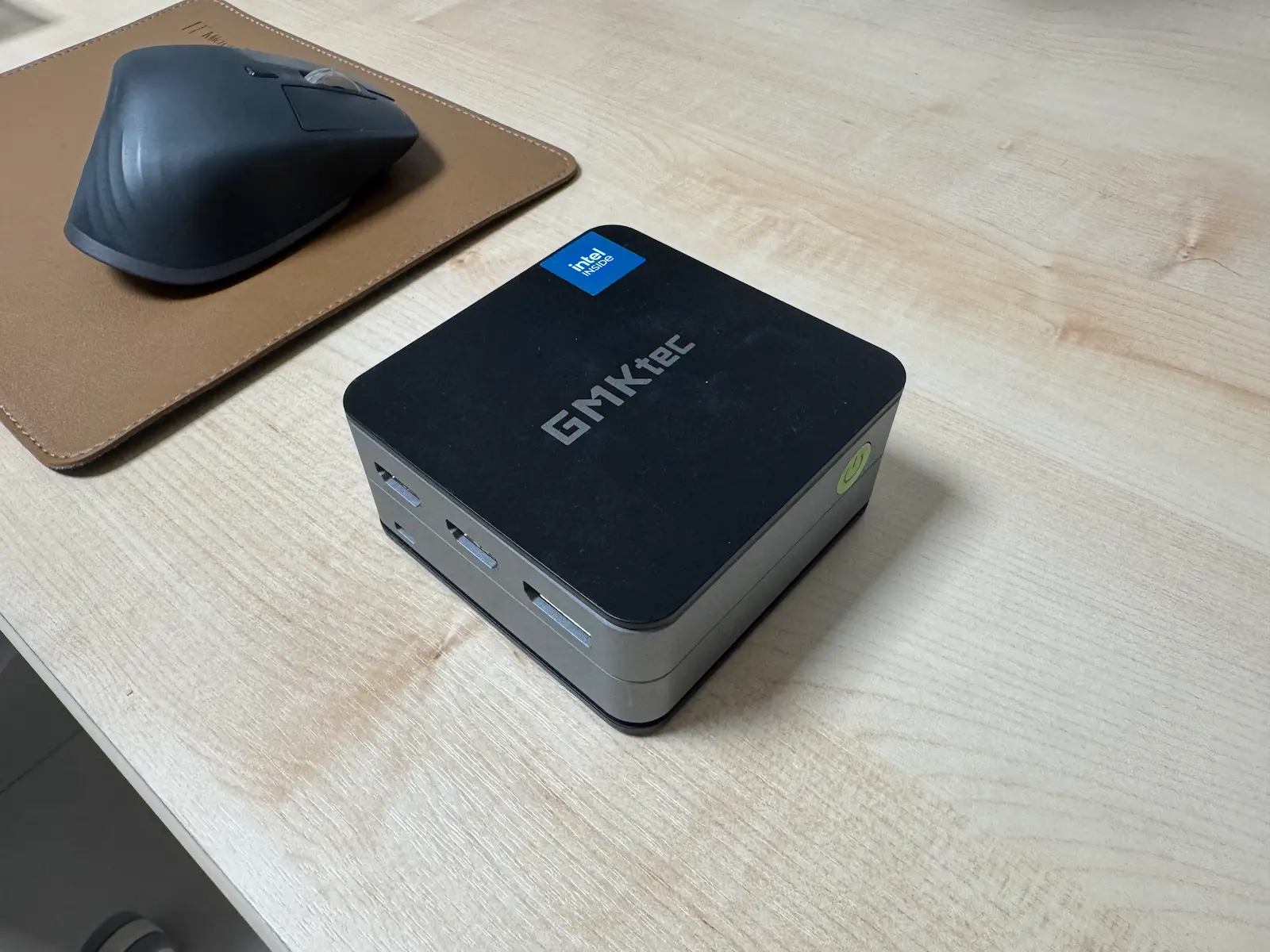
For the initial setup, I relied heavily on Korean Home Assistant communities, mainly Naver cafes and Korean blog posts. The official Home Assistant documentation is thorough, but having guides written in Korean, with Korean-specific device examples and apartment contexts, made the onboarding significantly smoother. I think this is something worth mentioning for anyone in Korea considering Home Assistant: the Korean community is active and genuinely helpful.
The first thing I did was connect the devices I already owned. The motorized curtain, LG appliances, and a few Zigbee sensors I had picked up from AliExpress. The one exception was the Aqara door lock. I deliberately kept it on Aqara’s own hub and app. A door lock is a security device, and for something like that, I wanted the dedicated system’s access logs, user management, and reliability rather than routing it through another platform. It remains the only device I manage outside of Home Assistant, and I think that is the right call.
Setting up each device individually was not particularly exciting. But the moment I opened the Home Assistant dashboard and saw almost everything listed in a single interface, that was when it clicked.
No more switching between the SmartThings app, the Aqara app, and the LG app. Everything was in one place. I could see the curtain status, the door lock state, sensor readings, and appliance controls all on one screen. It sounds simple, but after months of juggling multiple apps, that single unified dashboard felt like a genuine upgrade to how I interacted with my apartment.
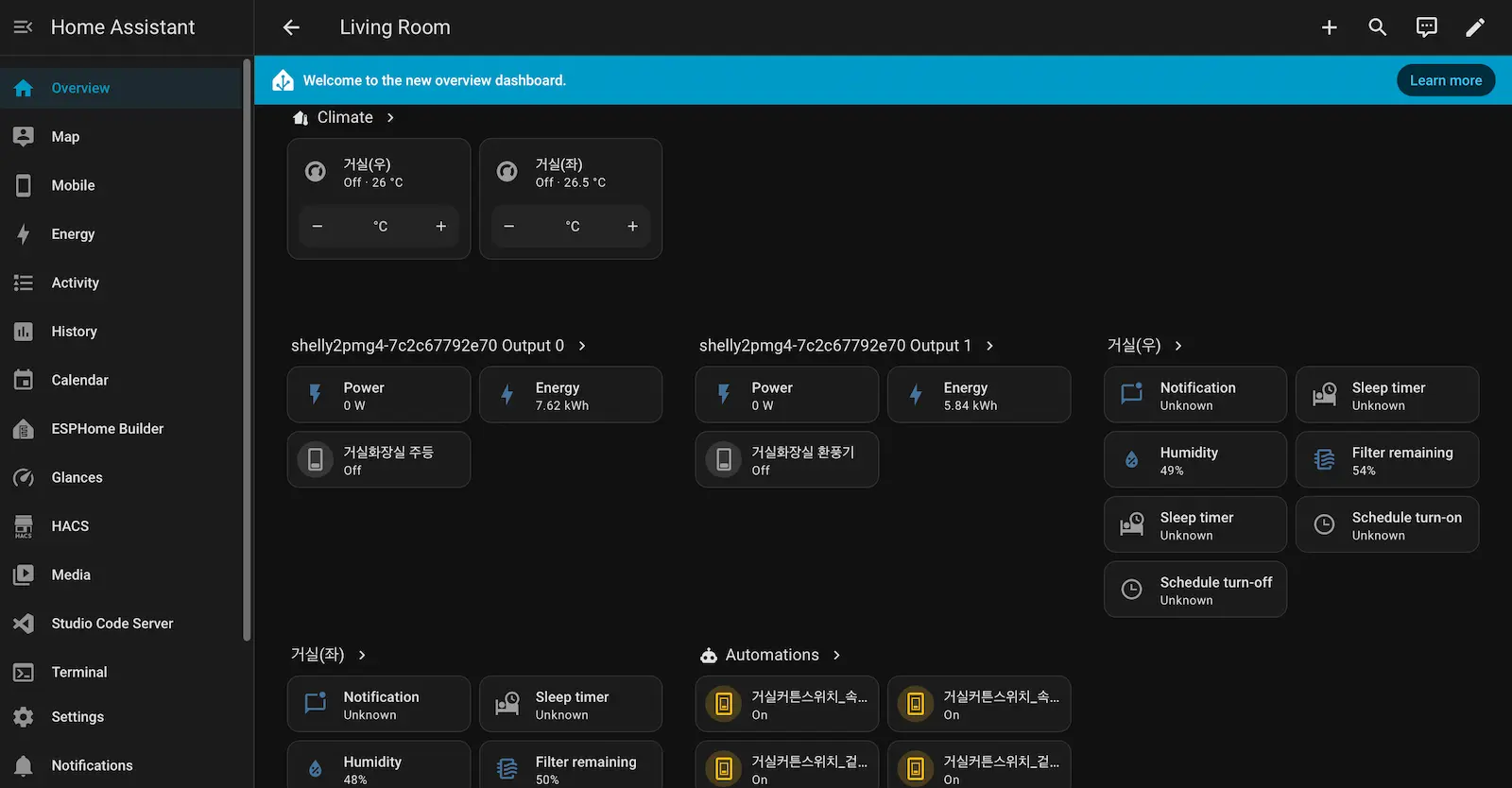
That was the moment I knew I was not going back.
Growing Pains
Once Home Assistant was running and I could see everything in one place, it was hard not to keep adding more devices.
The expansion happened in a few specific directions. First, I motorized the curtains in every room, not just the one I started with. Then I turned my attention back to the problem that started this entire journey: the bathroom wiring. Smart switches gave me a way to work around the wiring issues from the renovation without tearing open the walls again. I also added Shelly switches, which paired well with the smart switches and gave me more flexible control over circuits that were otherwise difficult to manage.
As the device count grew, everything still ran through Zigbee2MQTT as a Home Assistant add-on. It worked fine until it did not.
One day, while I was modifying some add-on configurations inside Home Assistant, Zigbee2MQTT crashed unexpectedly. That alone would have been manageable, but the crash corrupted the device database. When I restarted the add-on, none of my Zigbee devices were recognized anymore. I had to re-pair every single one of them manually.
If you have only five devices, re-pairing is a minor inconvenience. When you have twenty or more Zigbee devices spread across every room in your apartment, it is an entire afternoon you will never get back.
That experience made something very clear: when Zigbee2MQTT runs as an add-on inside Home Assistant, a problem in one can take down the other. The coupling was too tight. I decided to move Zigbee2MQTT and the MQTT broker into their own separate LXC containers on Proxmox.
The migration itself was not painless either. Even though the services were technically the same, moving to a new container meant new device identifiers, which meant re-pairing everything again. It was tedious, but this time it was a planned migration rather than an emergency recovery, and once it was done, the stability improvement was immediately noticeable.
That was probably the first time I internalized a lesson that keeps coming back in self-hosting: convenience is nice, but reliability matters more.
Smart Home in a Korean Apartment
Korean apartments have characteristics that make smart home setups different from what you typically see in English-speaking countries. If you are reading this from outside Korea, this section might be the most unfamiliar, but it is also what makes the Korean smart home experience unique.
Most modern Korean apartments come with a wall pad, a built-in touch panel usually installed near the entrance. It controls the apartment’s lighting, heating, and in some buildings, even the elevator. The wall pad communicates with the building’s central management system, so in theory, integrating it with Home Assistant would give you software control over things that are normally only accessible through that single physical panel.
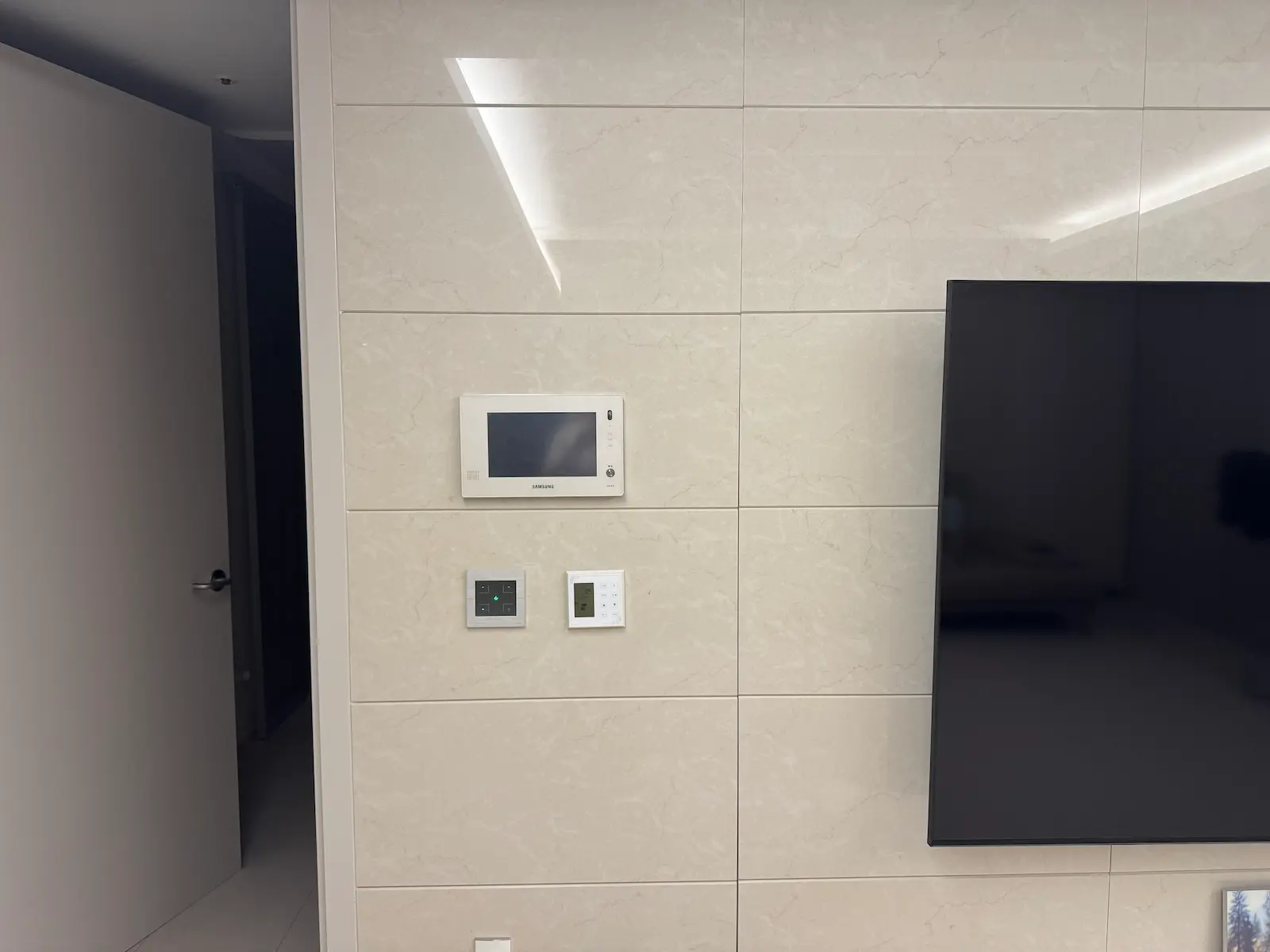
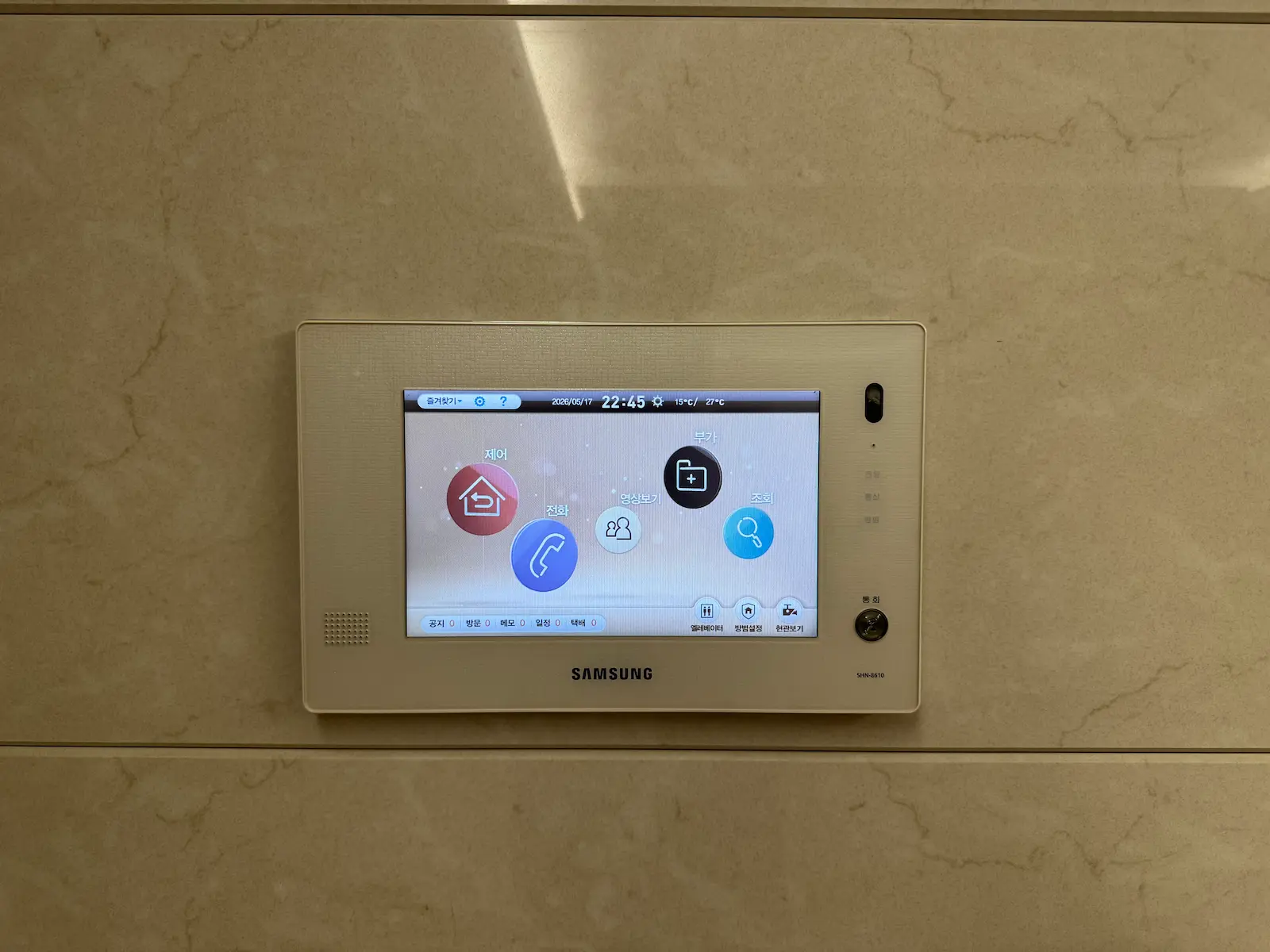
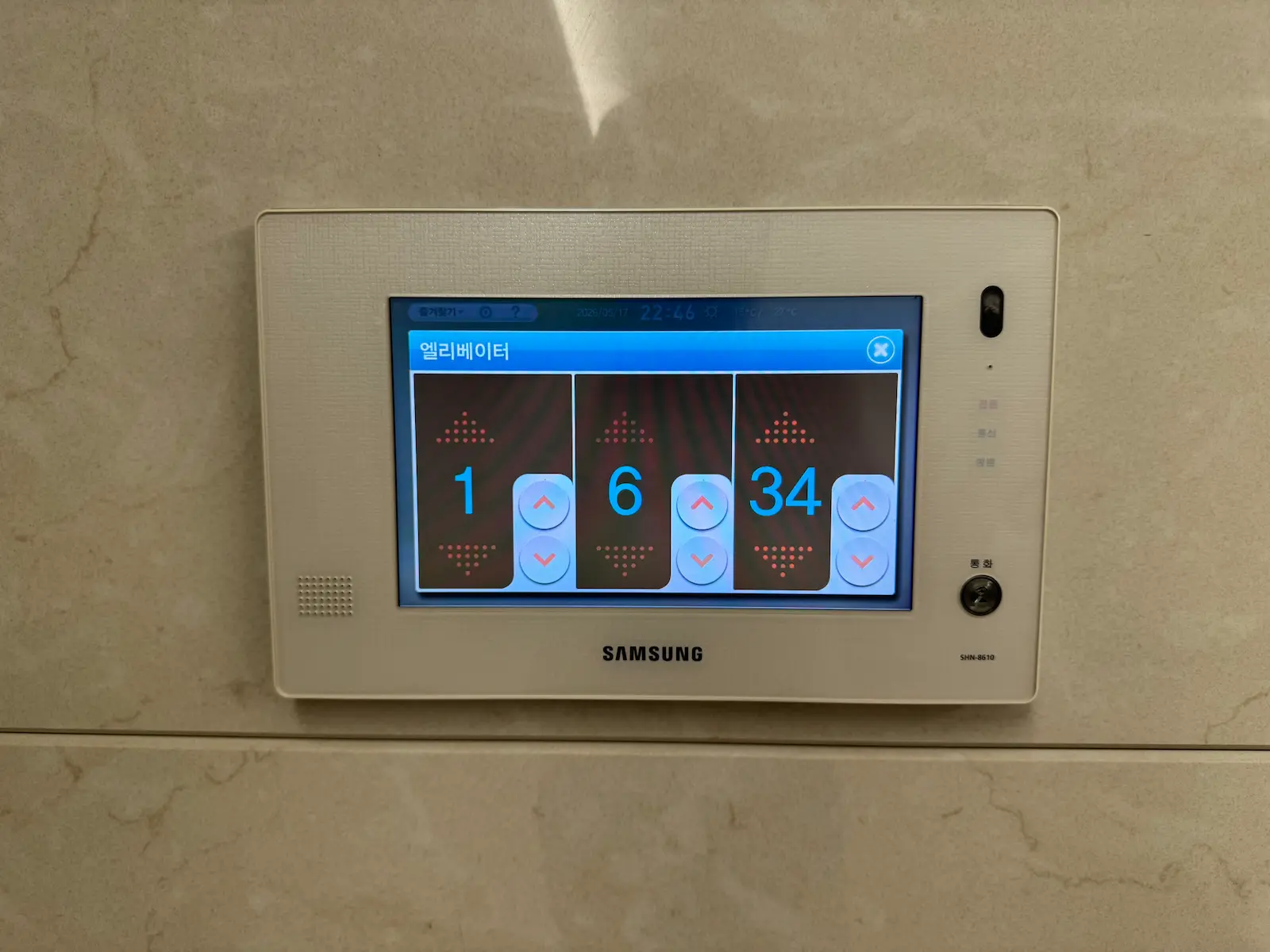
Korean apartment wall pad: installed view, main screen, and elevator call
I tried to do exactly that. The approach was to tap into the wall pad’s communication signals using an M5Stack ATOM Lite, an ESP32-based microcontroller. In my apartment, the wall pad supports connections that should allow external devices to read and send commands for lighting, heating, and elevator controls. Unfortunately, I was never able to capture a stable signal. Whether it was a hardware issue with the wall pad itself or a configuration problem on my end, I still do not know. The project is on hold for now, but it is something I plan to revisit because the potential payoff is significant.
Outside of the wall pad, almost all of my devices use Zigbee as their communication protocol. This was a deliberate choice. Zigbee devices do not depend on internet connectivity, they communicate locally through a coordinator, and they tend to be affordable, especially when buying from AliExpress.
In fact, the majority of my devices come from AliExpress rather than Korean brands. The selection of Home Assistant-compatible IoT hardware in the Korean market is limited compared to what is available internationally. AliExpress offers a much wider range of Zigbee sensors, switches, and controllers at significantly lower prices. The trade-off is longer shipping times and occasionally inconsistent quality, but for most use cases the value is hard to beat.
For the Zigbee coordinator, I went with the SLZB-MR3 rather than the SLZB-06 that most people in the Korean Home Assistant community seem to default to. Looking at the specs, I did not see a compelling reason to follow the crowd. The MR3 comes with dual antennas and supports Matter, which I might need in the future. The price difference was minimal, and it felt like the more future-proof choice. I have had no issues with it so far.
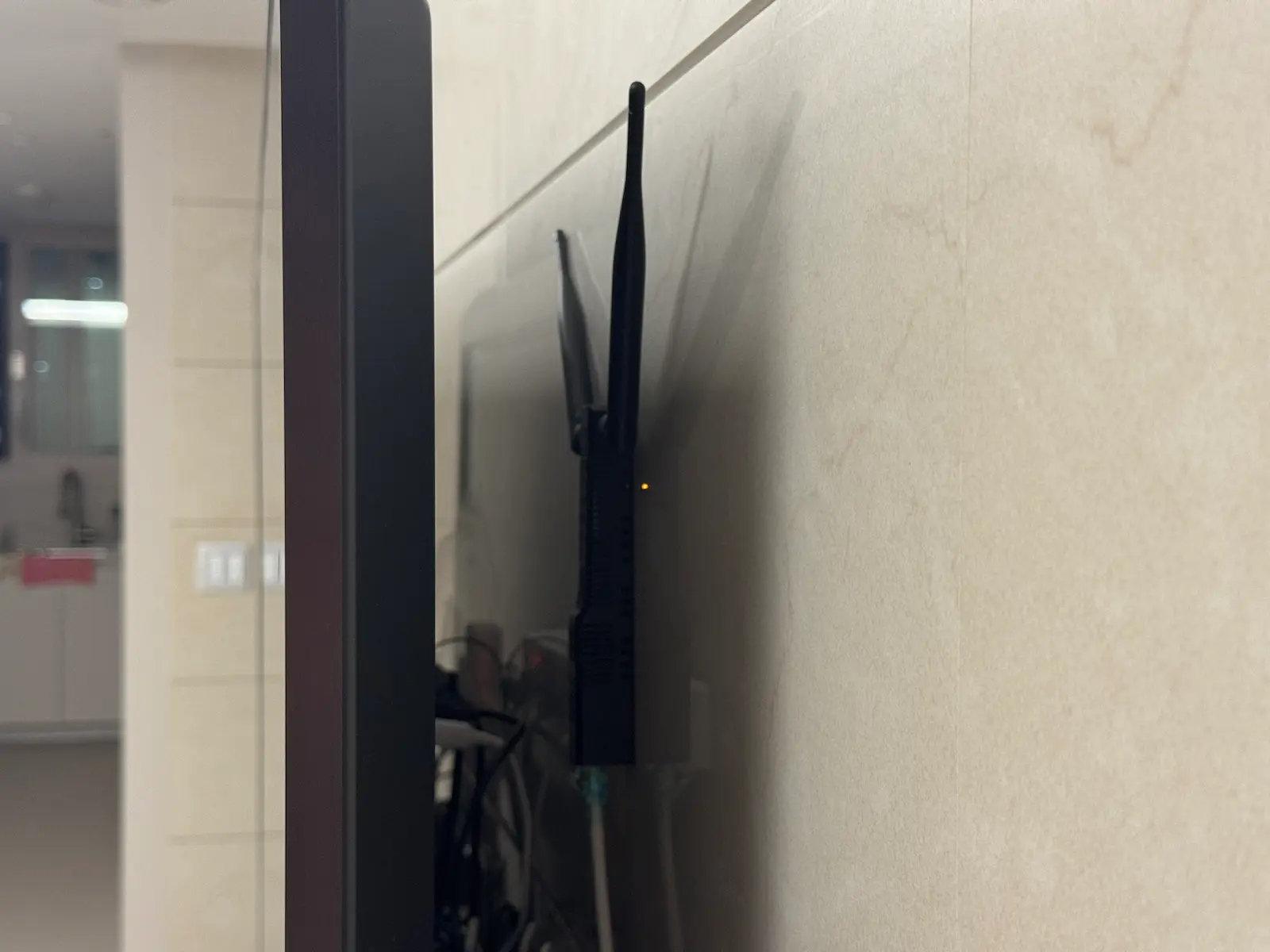
Initially, I hid the coordinator behind the TV to keep things tidy. That turned out to be a mistake. The TV and surrounding electronics created enough interference that Zigbee response times across the apartment were noticeably sluggish.
The worst case was a smart switch in the master bathroom. It would either respond with a significant delay or sometimes not respond at all. After spending time diagnosing the issue, I realized the signal strength was simply too weak by the time it reached that far corner of the apartment, likely due to the combination of distance, multiple wall partitions, and electronic interference near the coordinator.
The fix was simple: I added a smart plug with Zigbee repeater functionality between the coordinator and the bathroom. The difference was immediate. Every device started responding as if it were wired directly. The Zigbee mesh network, once it had enough repeater nodes in the right positions, transformed from occasionally unreliable to rock solid.
For anyone building a Zigbee-based smart home in a Korean concrete apartment, this is probably the most practical advice I can offer: do not underestimate signal attenuation through walls and distance in an apartment, and keep your coordinator away from TVs and other electronics that generate interference.
My Automation Philosophy
I do not use the Home Assistant dashboard to control things day to day. I do not use voice assistants either. Almost everything runs through automations and scripts that trigger automatically based on conditions. The goal is simple: if the automation is working well, nobody in the household should even notice it exists.
My family uses the smart home naturally, without needing to understand what Home Assistant is or how it works. That, to me, is the real test of a good automation. If someone has to open an app or tap a dashboard to make something happen, the automation is not finished yet.
The two areas where this has made the biggest difference are lighting and curtains.
The bathroom is probably the best example. The original switch panel has three buttons: one for the mirror backlight, one for the main ceiling lights, and one for the ventilation fan. In a normal setup, if you want the bathroom fully lit, you have to press all three switches individually. With Home Assistant, I assigned a single switch press to turn on everything at once. One tap instead of three, every single time.
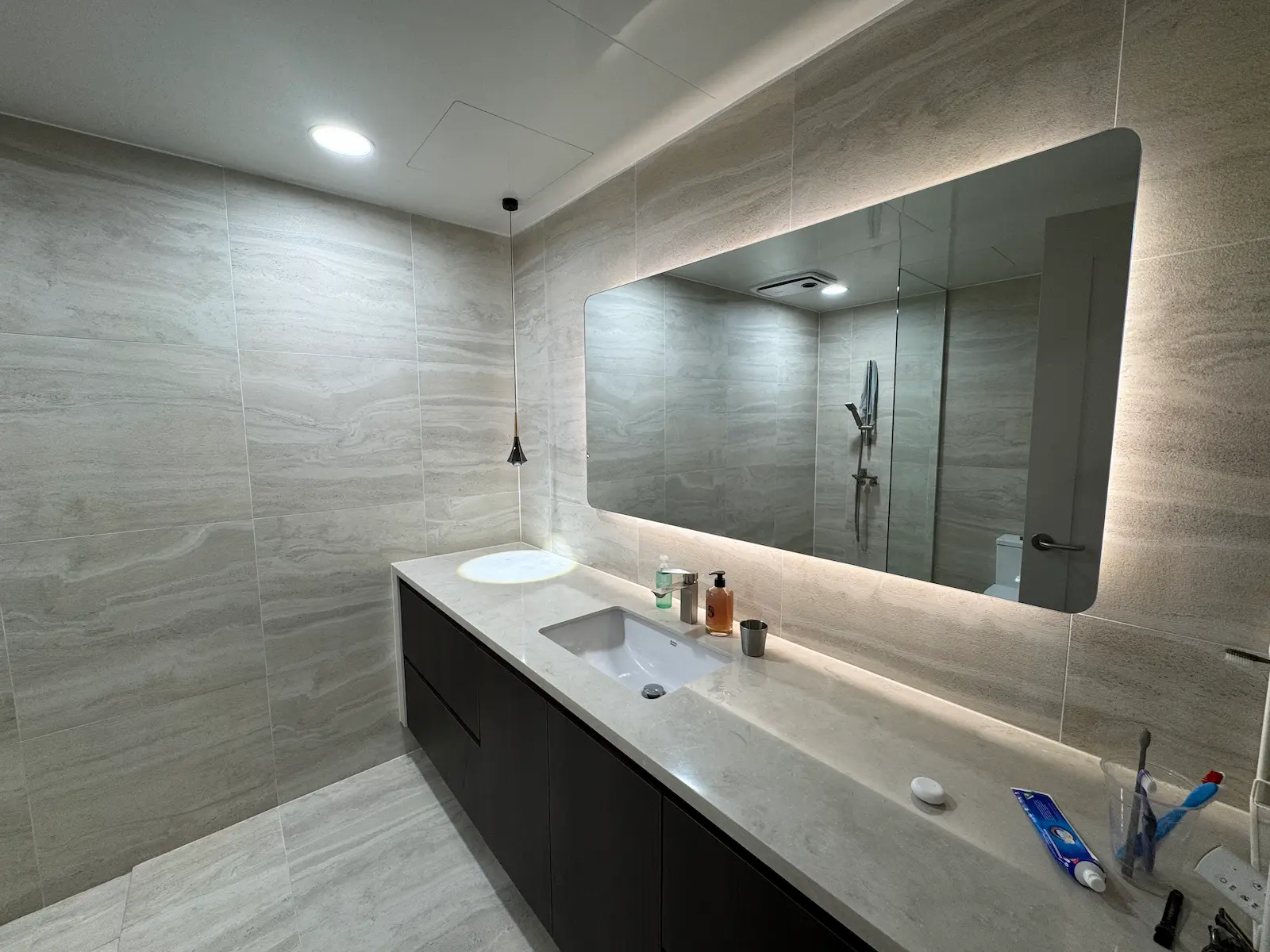
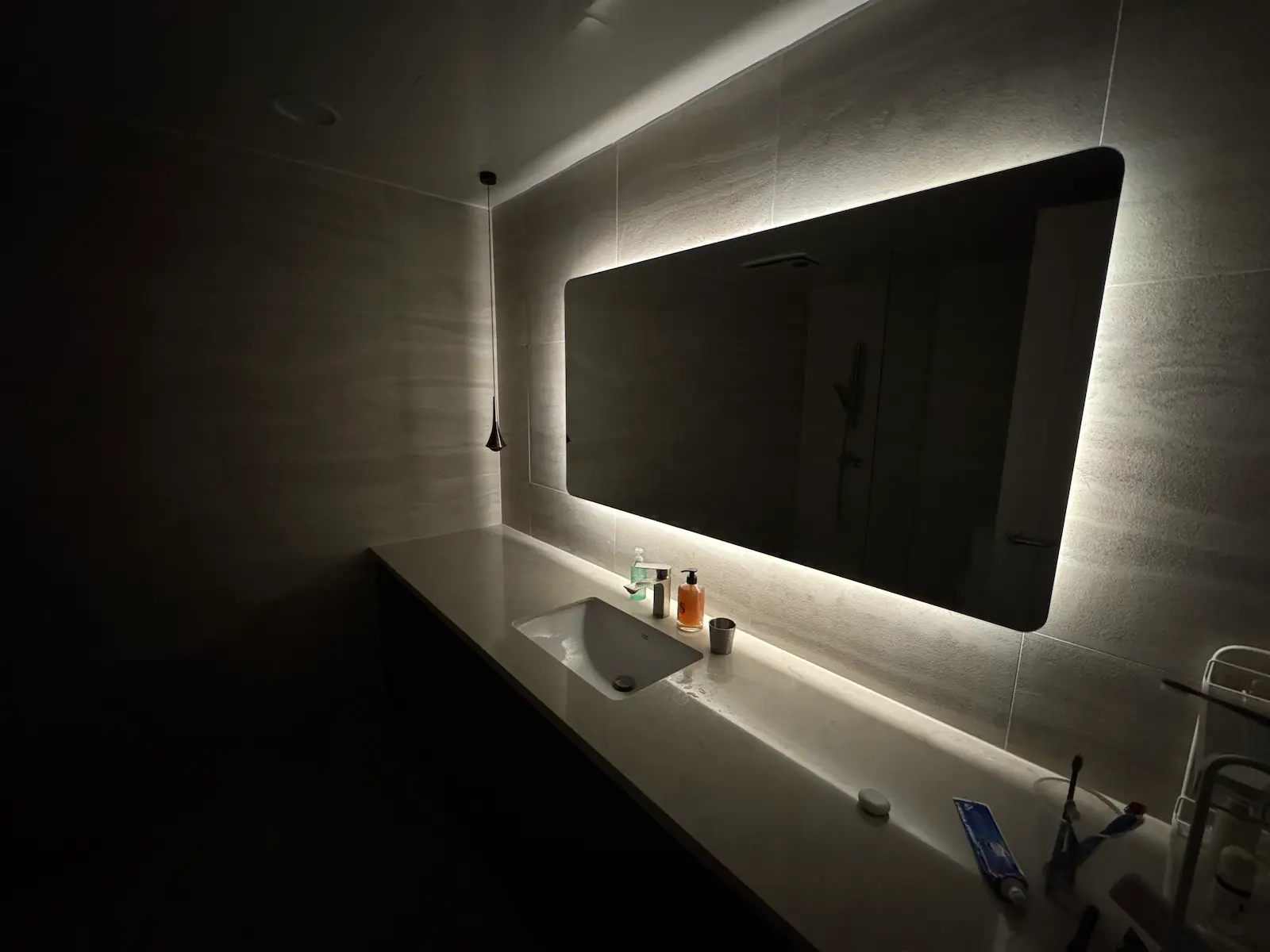
Bathroom: lights on and mirror light only
But the more satisfying improvement was the mirror backlight itself. The original switch just turned it on or off, which meant I rarely used it. I replaced the fixture with an LED strip controller connected through Home Assistant, which gave me dimming control. Now, during late night hours, the backlight turns on at its minimum brightness automatically, just enough to see without shocking your eyes. During the day, it turns on at full brightness together with the main lights when I press the bathroom switch, adding a warm ambient layer that makes the whole space feel more pleasant.
This is the kind of improvement that sounds minor on paper but changes how a room actually feels to use every day.
The motorized curtains follow a similar philosophy. They are synchronized with sunrise and sunset times. In the morning, the curtains open gradually with the sunrise, which has genuinely helped me wake up more naturally. After sunset, they close automatically. I never think about it, and I never have to touch a switch. It just happens.
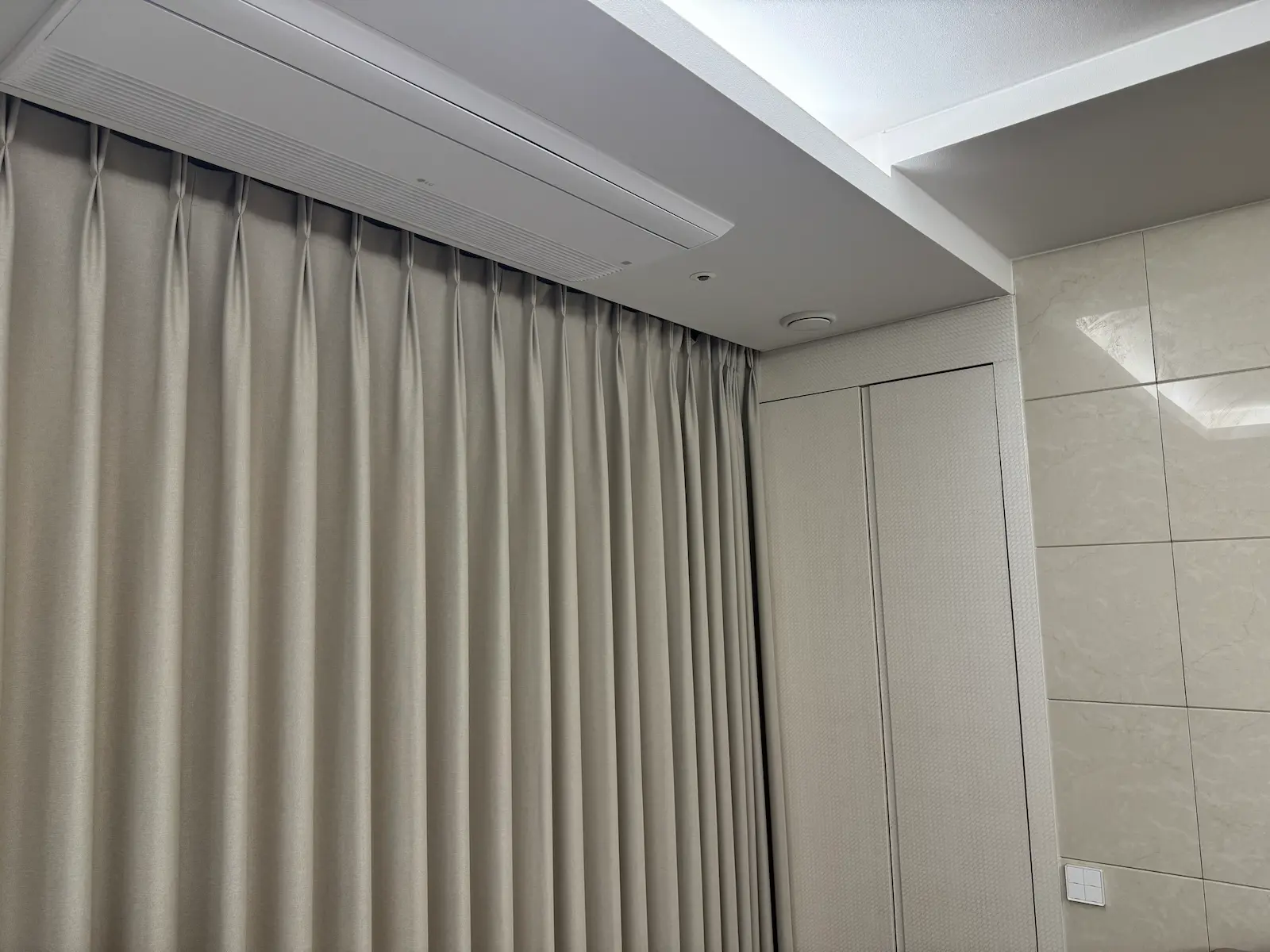
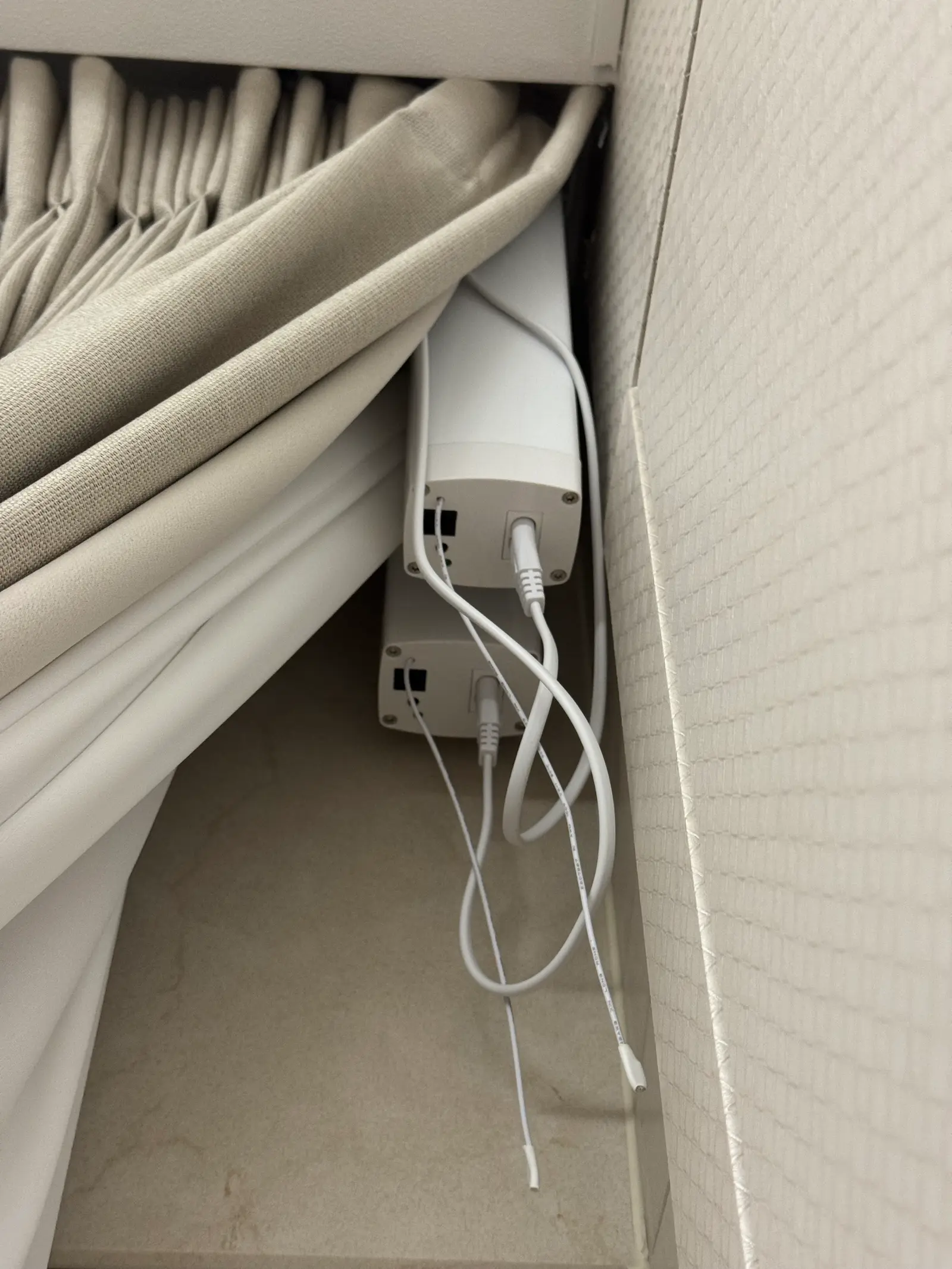
Curtain: curtain and motor
Looking back, the automations that have lasted the longest are always the ones that remove a small daily friction rather than the ones that try to do something impressive. A curtain that opens with the sun is not exciting to describe, but after months of waking up to natural light instead of an alarm, it is hard to imagine going back.
What Hasn’t Worked Well
The most obvious failure is the wall pad integration I mentioned earlier. Not being able to capture a stable signal from the wall pad means I still cannot control the apartment’s built-in lighting, heating, or elevator through Home Assistant. It is frustrating because the potential is clearly there, and many other Korean users have succeeded with similar setups. I plan to revisit it, but for now it remains an unfinished project.
The other frustration is less dramatic but more persistent: Home Assistant’s dashboard.
The basic setup experience in Home Assistant is genuinely approachable. Adding devices, creating simple automations, and getting things running does not require deep technical knowledge. But the moment you want to go beyond the basics, the learning curve steepens sharply. Complex automations eventually require writing YAML by hand, and customizing the Lovelace dashboard to look the way you actually want it to is surprisingly difficult.
Building a clean, well-organized dashboard takes a level of frontend effort that feels disproportionate to the task. Custom cards, conditional layouts, and theme adjustments all demand time and experimentation. I put together a dashboard layout early on that worked well enough, and honestly, I have not changed it since. Not because I am satisfied with it, but because the effort required to redesign it is hard to justify when everything else is functioning fine.
It is a minor complaint in the context of everything Home Assistant does well, but it is worth being honest about. The gap between what a Home Assistant dashboard can look like and what it looks like by default is wide, and crossing that gap is not easy.
What’s Next
The most important unfinished item is the wall pad integration. Controlling the apartment’s built-in lighting, heating, and elevator through Home Assistant would be a significant upgrade. The fact that it did not work on the first attempt does not change the fact that the wall pad in my apartment supports external connections. The problem is likely either a hardware issue with the wall pad itself or something I missed in the signal capture process. Either way, I plan to revisit it with a fresh approach.
If I succeed, it would bring the last remaining gap in my smart home setup to a close. Right now, every other device in the apartment runs through Home Assistant except the wall pad controls and the Aqara door lock. Getting the wall pad connected would mean that nearly everything in the apartment, from curtains to bathroom lights to the elevator call button, could be managed from a single platform.
As for communication protocols, I am staying with Zigbee for the foreseeable future. Matter and Thread are promising, but the ecosystem is still maturing, and I already have a stable Zigbee mesh that works well. The SLZB-MR3 I chose as my coordinator does support Matter, so if the time comes to experiment with it, I will not need to replace any core hardware. But there is no urgency to switch when everything is working reliably.
Looking back at this entire journey, it is hard to believe it started with a bathroom wiring problem during a renovation. What began as a workaround for a few compromised light switches has turned into a system that quietly manages most of my apartment without anyone needing to think about it. That, in the end, is exactly what a smart home should feel like.